How to Fill RGPV Revaluation Form 2026 – Complete Step-by-Step Guide
Agar aap RGPV B.Tech student hain aur aapko lagta hai ki aapki answer copy sahi se check nahi hui hai, ya expected marks nahi aaye hain, to aap RGPV Revaluation ya Retotal ke liye apply kar sakte hain।
Bahut saare students result aane ke baad confused ho jaate hain ki:
- Revaluation form kaise fill kare?
- Revaluation aur Retotal me difference kya hota hai?
- Fees kitni lagti hai?
- Mobile se form fill ho jayega ya nahi?
- Payment kaise karna hai?
To is article me hum aapko step-by-step screenshots ke saath pura process batayenge।
What is RGPV Revaluation?
Revaluation ka matlab hota hai ki aapki answer copy ko dubara kisi doosre examiner se check karwaya jata hai। Agar aapko lagta hai:
- marks bahut kam aaye hain
- galat checking hui hai
- fail ho gaye ho unexpectedly
- aapne exam achha diya tha
To aap Revaluation ke liye apply kar sakte hain।
Revaluation Aur Retotal Me Difference
Revaluation
- Copy dubara check hoti hai
- Answers recheck hote hain
- Marks badh bhi sakte hain ya kam bhi ho sakte hain
Retotal
- Sirf marks ka total dubara hota hai
- Calculation check hota hai
- Mostly total mistake correction hota hai
Form Fill Karne Se Pehle Kya Ready Rakhe?
Form fill karne se pehle ye cheeze ready rakhein:
- Enrollment Number
- Internet connection
- UPI / ATM Card / Net Banking
- Result details
- Mobile phone ya laptop
Step 1: RGPV Student Portal Me Login Kare
Sabse pehle official RGPV student portal me login kare।
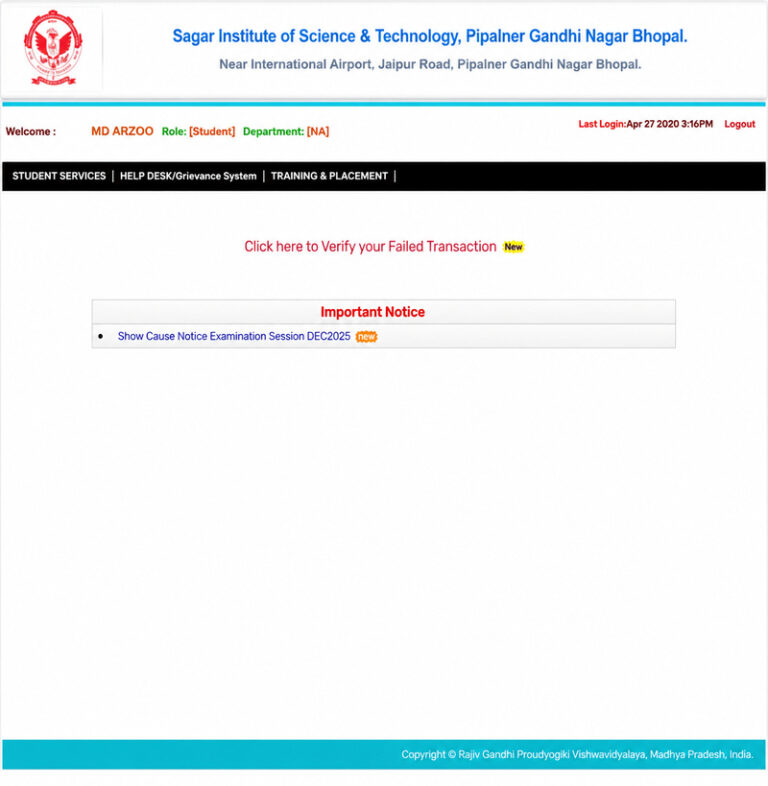
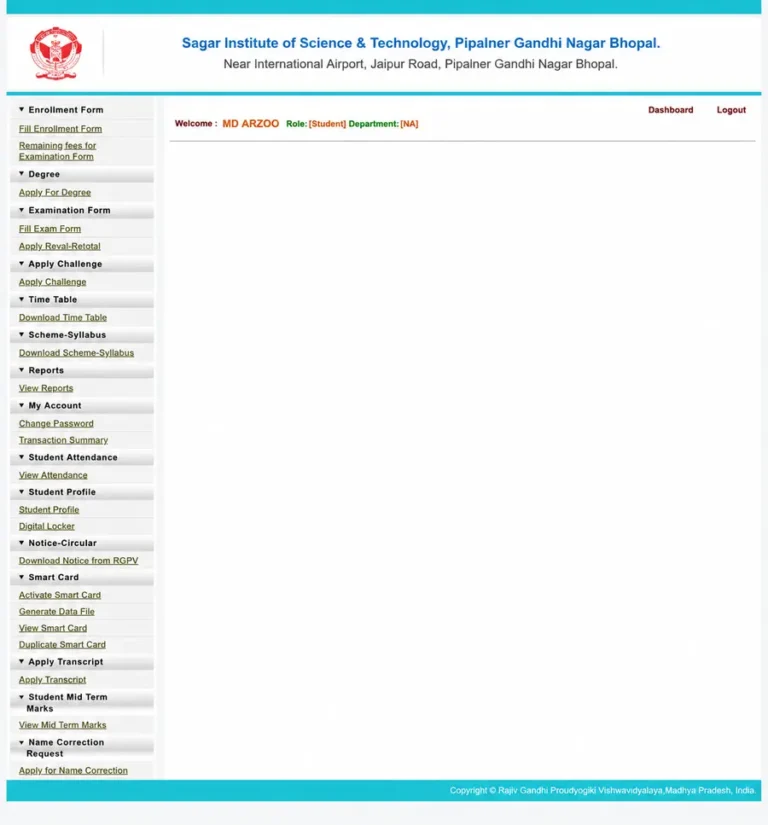
Step 2: “Apply Reval-Retotal” Option Open Kare
Login hone ke baad jab Student servics pe click krenge to left side me bahut saare options dikhenge.
Ab:
Examination Form → Apply Reval-Retotal
par click kare।
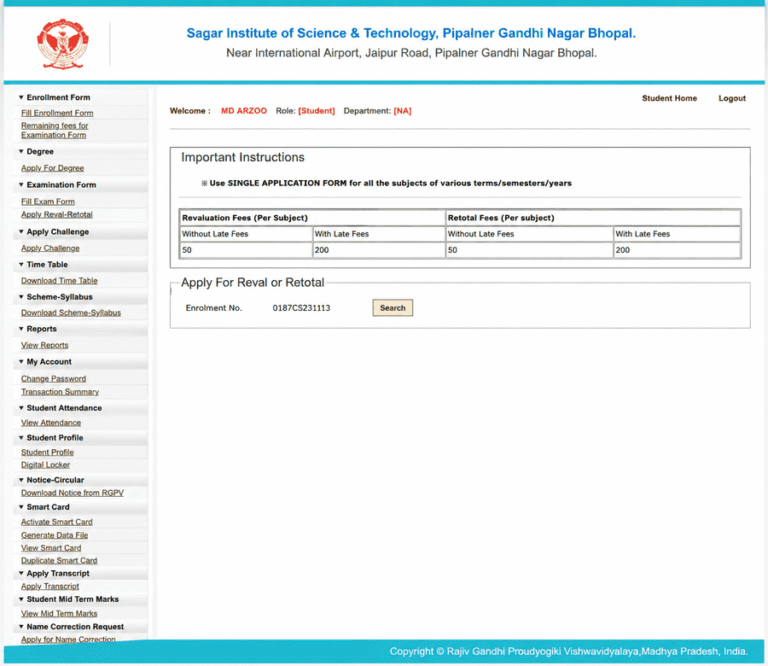
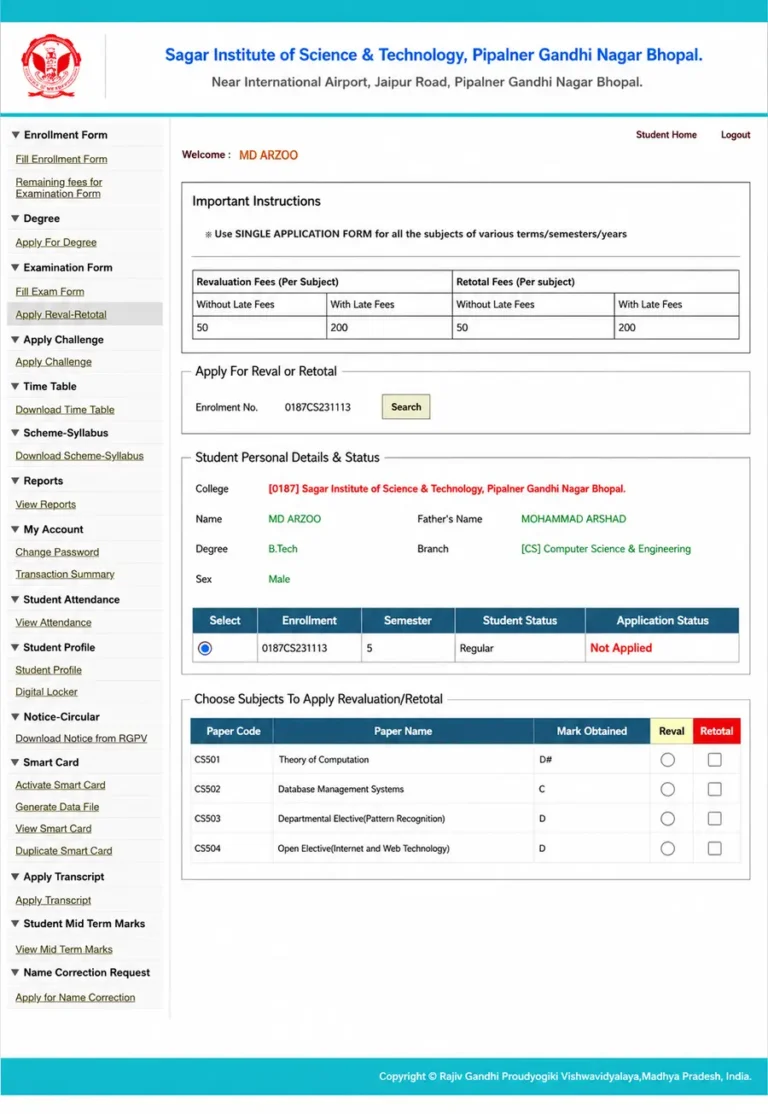
Step 3: Enrollment Number Search Kare
Ab Revaluation wala page open ho jayega
Yahan:
- Important instructions dikhenge
- Revaluation fees dikhegi
- Enrollment Number search karna hoga
Ab Search button par click kare।
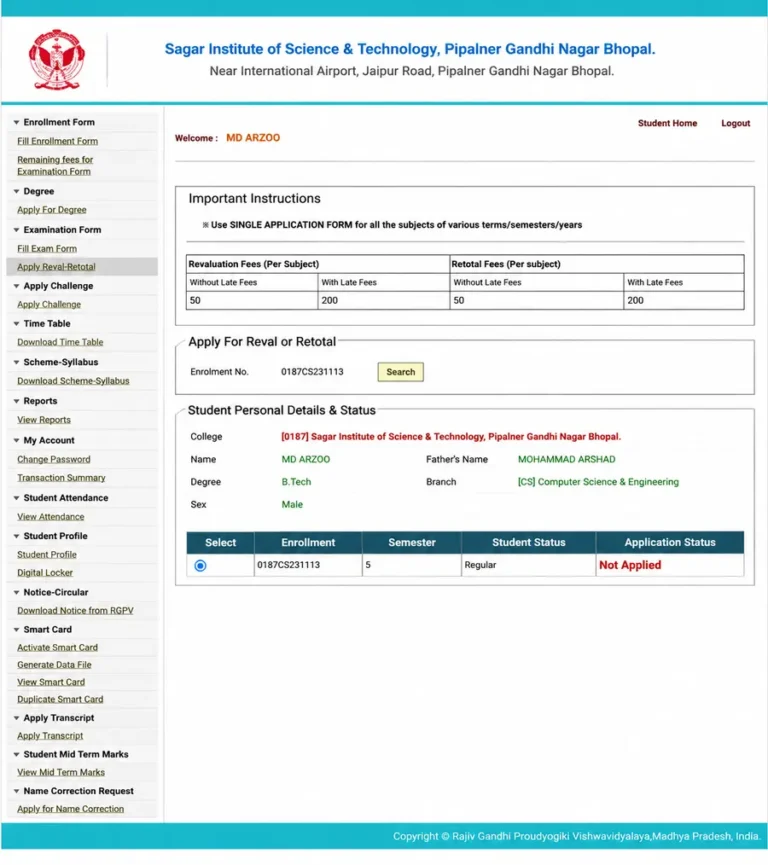
Step 4: Student Details Verify Kare
Search karne ke baad aapki details show hongi:
- Name
- College
- Branch
- Semester
- Student Status
Ab apna semester select kare।
Step 5: Subjects Select Kare
Ab aapko vo subjects select karna hoga, jisme Revaluation karwana hai ya Retotal karwana hai.
Yahan aapko:
- Paper code
- Subject name
- Marks obtained
- Reval option
- retotal option
Sab dikhega.
Ab jis subject me revaluation chahiye use select karo
Step 6: Fees Verify Karke Declaration Tick Kare
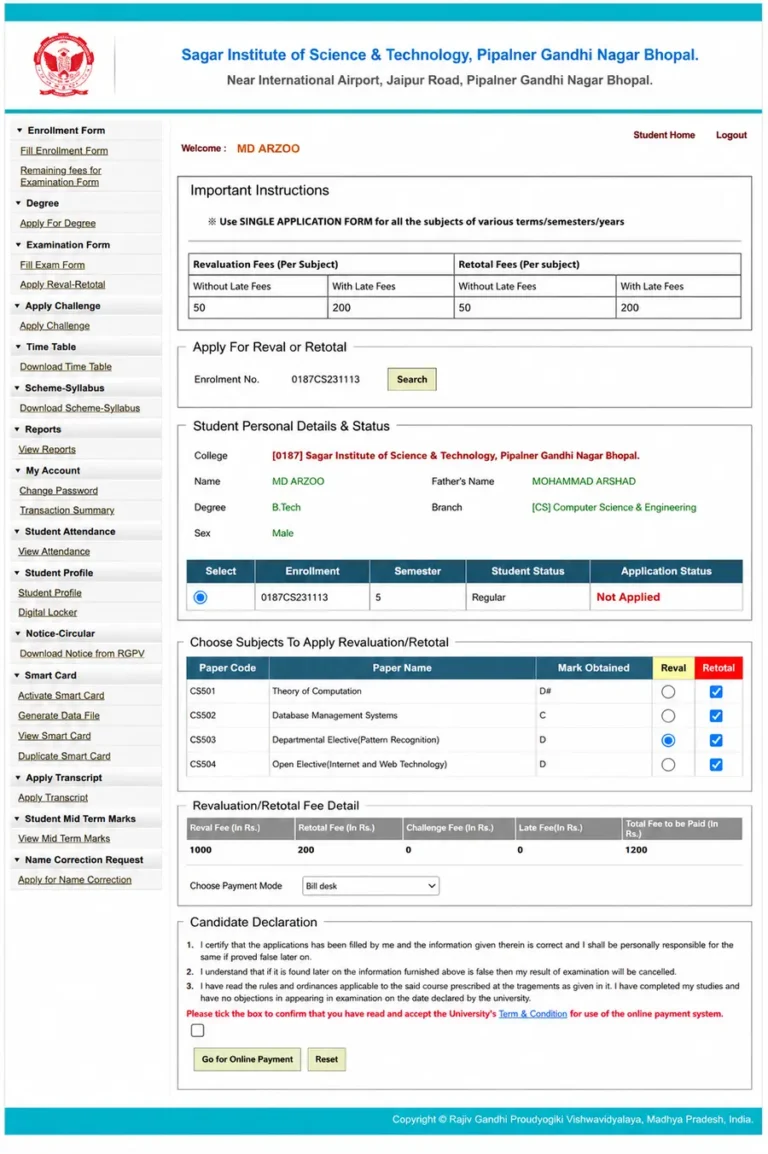
Subject select karne ke baad:
- Total fees automatically select ho jayegi
- Payment mode select karna hoga
- Declaration checkbox tick karna hoga
Uske baad Go for Online payment par click kare
Step 6: Fees Verify Karke Declaration Tick Kare
Ab aap BillDesk payment page par redirect ho jaoge. Yahan QR code se payment kar sakte ho.Payment successful hone ke baad:
- Application status update ho jayega
- Receipt save kar lena
- Screenshot bhi rakh lena future ke liye
RGPV Revaluation Fees 2026
| Type | Normal Fees | Late Fees |
|---|---|---|
| Revaluation | ₹50 Per Subject | ₹200 |
| Retotal | ₹50 Per Subject | ₹200 |
FAQs ( Frequently asked questions)
Q1. Kya revaluation ke baad marks badh skte hain
Haan, agar checking mistake hoti hai to marks increase ho sakte hain.
Q2. Revaluation result kitne din mein aata hai?
Usually 15 se 45 din ke andar result aa jata hai.
Q4. Mobile se form fill ho jayega?
Haan, aap mobile se bhi easily form fill kar sakte ho
Q5. Revaluation aur Retotal me kya better hai?
Agar lagta hai answers properly check nahi hue → Revaluation
Agar lagta hai total galat hua → Retotal
Final words
Agar aapko lagta hai ki aapki copy sahi se evaluate nahi hui hai, to RGPV Revaluation aapke liye useful ho sakta hai
Bas:
- Carefully subjects select karein
- Payment properly complete karein
- Aur form deadline ke pehle hi submit kar de.
Agar aapko koi problem aaye to comment karein ya apne college examination department se contact karein ।